
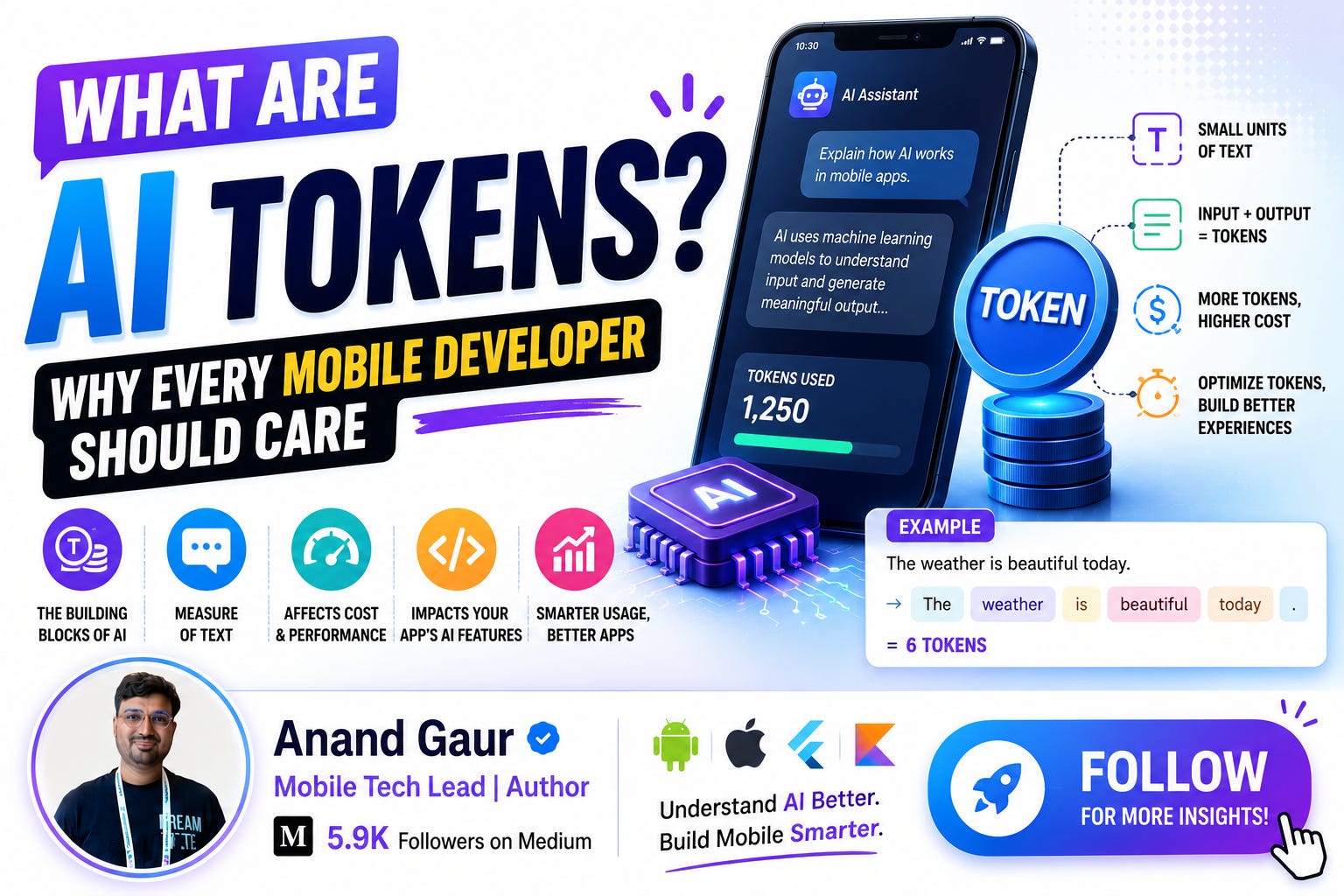
If you have ever integrated ChatGPT, Gemini, or Claude into a mobile app, you have already paid for tokens, waited for tokens, and probably been confused by tokens. And if you are planning to add AI to your app soon, tokens will quietly decide three big things for you: how much your app costs to run, how fast it feels, and how much your AI can actually remember.
Yet most mobile developers treat tokens like some backend detail that “the API handles anyway.”
That is a mistake. And by the end of this blog, you will see exactly why.
Grab a coffee. Let’s go from absolute basics to advanced, step by step, in plain simple language.
Part 1: The Basics
So, what exactly is a token?
Here is the simplest way to think about it.
You and I read text as words. AI models do not. Before any text reaches the model, it gets broken into small chunks called tokens. A token can be a full word, a part of a word, a punctuation mark, or even a single character.
Think of it like this: when you eat a paratha, you do not swallow it whole. You tear it into bite-sized pieces first. Tokens are the bite-sized pieces of text that an AI model can actually “chew.”
Some quick examples of how text becomes tokens:
-
“Hello” becomes 1 token
-
“Hello world” becomes 2 tokens
-
“unbelievable” might become 3 tokens: “un”, “believ”, “able”
-
“ChatGPT” might become 2 tokens: “Chat”, “GPT”
-
A comma or a full stop is often its own token
Notice something interesting? Tokens are not the same as words. A long or unusual word may split into multiple tokens, while a common short word stays as one.
A rough rule of thumb
For English text:
-
1 token is roughly 4 characters
-
1 token is roughly 0.75 words
-
So 100 tokens is about 75 words
-
And 1,000 tokens is about one page of text
You do not need to memorize exact numbers. Just remember: tokens are slightly smaller than words, and everything the model reads or writes is measured in them.
Why do models even need tokens? Why not just use words?
Great question. Three reasons:
1. Vocabulary size becomes manageable. There are millions of possible words across languages, plus typos, slang, code, and made-up words. But with tokens, a model can cover almost any text using a fixed vocabulary of around 50,000 to 200,000 token pieces. New or weird words simply get built from smaller pieces, like Lego blocks.
2. Math needs numbers, not text. A neural network cannot process the word “Kotlin.” It processes numbers. So every token maps to a number (called a token ID), and that number maps to a vector of numbers the model can do math on. Text in, numbers processed, text out.
3. It handles every language and even code. Tokenization works on Hindi, Tamil, Japanese, emojis, and your Kotlin code. Everything becomes tokens. That is why the same model can chat in Hindi and also write a Jetpack Compose function.
How tokenization actually works (simple version)
Most modern models use something called Byte Pair Encoding (BPE) or similar algorithms. Here is the intuition in three steps:
-
Start with individual characters.
-
Look at massive amounts of text and find which character pairs appear together most often. Merge them into a single unit. For example, “t” and “h” appear together constantly, so “th” becomes one unit.
-
Keep merging the most common pairs again and again until you have a vocabulary of, say, 100,000 common chunks.
The result: common words like “the” or “and” become single tokens, while rare words get split into familiar sub-pieces.
That is why “internationalization” does not scare the model. It just sees “inter” + “national” + “ization”, pieces it has seen millions of times.
One important catch: not all languages tokenize equally
This one matters a lot if you are building for Indian users.
English is very token-efficient because tokenizers are trained mostly on English text. Hindi, Tamil, Telugu and other Indian languages often need 2 to 4 times more tokens for the same sentence.
Example:
-
“How are you?” in English: around 4 tokens
-
“आप कैसे हैं?” in Hindi: can be 8 to 12 tokens depending on the tokenizer
Same meaning. Double or triple the tokens. Which means double or triple the cost and latency.
If your app serves multilingual Indian users, this is not trivia. This is your API bill.
Part 2: Why Should a Mobile Developer Care?
Fair question. You build Android or iOS apps. The AI runs on some server. Why should tokens bother you?
Because tokens directly control four things your users feel and your company pays for.
Reason 1: Tokens are money
Every AI API charges you per token. Not per request. Not per user. Per token.
And here is the part many developers miss: input tokens and output tokens are priced differently. Output tokens usually cost 3 to 5 times more than input tokens, because generating text is heavier work than reading it.
Let’s do real math. Suppose a model charges:
-
$3 per 1 million input tokens
-
$15 per 1 million output tokens
Now imagine you built a chat feature in your app:
-
Average user message plus conversation history: 2,000 input tokens
-
Average AI reply: 500 output tokens
-
Your app has 10,000 daily active users
-
Each user sends 5 messages per day
Daily input tokens: 10,000 users x 5 messages x 2,000 tokens = 100 million tokens Daily output tokens: 10,000 x 5 x 500 = 25 million tokens
Daily cost: (100M x $3/1M) + (25M x $15/1M) = $300 + $375 = $675 per day
That is roughly $20,000 per month. For one chat feature.
Now imagine you trim your prompt and history smartly and cut input tokens from 2,000 to 800. Your input cost drops from $300 to $120 per day. That single optimization saves you around $5,400 per month.
Tokens are not a backend detail. Tokens are your burn rate.
Reason 2: Tokens are speed
Users judge your app in milliseconds. And AI latency is mostly a token story:
-
Input tokens affect “time to first word.” The model must read your entire prompt before it starts replying. A bloated 5,000-token prompt means a longer awkward pause before anything appears on screen.
-
Output tokens stream one by one. Models generate text token by token, like someone typing. A 1,000-token reply simply takes longer than a 200-token reply. No trick can change that.
So when your product manager says “the AI feels slow,” the honest answer is often “our prompts are fat and our replies are long.”
Reason 3: Tokens are memory (the context window)
Every model has a context window: the maximum number of tokens it can handle in one go, counting your prompt, the conversation history, and the reply combined.
Some rough numbers as of today:
-
Smaller or older models: 8K to 32K tokens
-
Most modern models: 128K to 200K tokens
-
Some large models: 1 million+ tokens
Sounds huge, right? But in a chat app, history grows fast. Every new message must carry the previous conversation, because AI models have no memory of their own. Each API call is a blank slate. If you do not resend the history, the model has no idea what was said before.
So a “memory” in a chat app is literally you re-sending old tokens again and again. Which means:
-
Long conversations get slower (more input tokens to read)
-
Long conversations get costlier (you pay for the same history repeatedly)
-
Eventually you hit the window limit and must trim or summarize
This is why every serious AI chat app eventually builds a history management strategy. More on that soon.
Reason 4: Tokens limit the output
Every API call has a max_tokens (or maxOutputTokens) parameter that caps the reply length. Set it too low and responses get cut off mid-sentence. Set it too high and a chatty model can ramble, costing you money and time.
If your users ever see an AI answer that just… stops… abruptly, congratulations, you have met the output token limit.
Part 3: Tokens in Real Mobile Development
Enough theory. Let’s see where tokens show up in actual mobile work.
Use case 1: A chat feature (the classic)
You are building an AI assistant inside your Android app using the Gemini API. A typical request looks like this in Kotlin:
val model = GenerativeModel(
    modelName = “gemini-2.0-flash”,
    apiKey = BuildConfig.API_KEY,
    generationConfig = generationConfig {
        maxOutputTokens = 500   // capping reply length = capping cost
        temperature = 0.7f
    }
)

val chat = model.startChat(
    history = listOf(
        content(role = “user”) { text(”Hi, I need help with my order”) },
        content(role = “model”) { text(”Sure! What is your order ID?”) }
    )
)
val response = chat.sendMessage(”It is ORD-12345, item not delivered”)
Every message in that history list is tokens you pay for on every single call. A 50-message conversation? You are re-sending all 50 messages each time the user types something new.
What smart apps do:
-
Sliding window: Only send the last 10 to 15 messages, not all 50.
-
Summarization: After every 20 messages, ask the model to summarize the conversation in 100 tokens, then send “summary + recent messages” instead of full history.
-
System prompt trimming: Keep your instructions tight. “You are a helpful support agent for XYZ app. Be brief.” beats a 500-word personality essay.
Use case 2: Document or article summarizer
User uploads a PDF or pastes an article, your app summarizes it. Token problems here:
-
A 30-page document can easily be 20,000+ tokens. Does it fit your model’s context window? Does it fit your budget?
-
If not, you need chunking: split the document into pieces, summarize each piece, then summarize the summaries. This is called map-reduce summarization.
Also, always show a character or word limit in your UI. Do not let a user paste a 200-page document and then wonder why the request failed or the bill exploded.
Use case 3: On-device AI (this is where mobile gets special)
Here is something most blogs skip. Tokens matter even MORE for on-device AI.
With Gemini Nano on Android (via AICore on supported Pixel and Galaxy devices) or Apple’s Foundation Models on iOS, the model runs on the phone itself. No server, no API bill. Sounds like tokens stop mattering, right?
Wrong. They matter differently:
-
On-device models have tiny context windows. Think 2K to 12K tokens, not 128K. Your prompt engineering has to be surgical.
-
Token generation speed depends on the phone’s chip. A flagship generates maybe 10 to 30 tokens per second. A long reply visibly crawls on screen.
-
Battery and heat. Every token generated is NPU/GPU work. A feature that generates thousands of tokens per session will show up in battery stats, and users will uninstall.
So on-device, tokens become a UX and hardware budget instead of a money budget. Either way, you are budgeting tokens.
Use case 4: Streaming responses (the trick behind that “typing” effect)
Ever noticed how ChatGPT’s answer appears word by word? That is not an animation. That is literally tokens arriving one by one over the network as the model generates them.
In your app, always prefer the streaming API for chat-like features:
model.generateContentStream(prompt).collect { chunk ->
    // Each chunk contains a few freshly generated tokens
    responseText += chunk.text
    updateUI(responseText)
}
Why this matters for mobile UX: with streaming, the user sees the first words in under a second, even if the full reply takes 8 seconds. Without streaming, they stare at a spinner for 8 seconds. Same total time, completely different perceived speed.
Streaming is the single cheapest UX win in AI app development, and it exists purely because models generate token by token.
Use case 5: Voice and multimodal features
Building a voice assistant or letting users send photos to the AI? Everything still becomes tokens:
-
Images are converted into tokens too. A single image typically costs a few hundred to a couple thousand tokens depending on resolution and the model. Send 5 photos in one request and you may have silently added 5,000 input tokens.
-
Audio gets transcribed or directly tokenized. A minute of speech can be a few hundred tokens.
So that innocent “attach image” button in your chat UI? It is a token cannon. Resize and compress images before sending, and cap how many can be attached.
Part 4: A Real-World Story
Let me make this concrete with a scenario that plays out in real companies all the time.
A food delivery startup adds an AI support chatbot to their Android and iOS apps. Launch week goes great. Users love it. Then finance sends a message: the AI bill for the month is $18,000, way beyond the $4,000 estimate.
The team investigates. Three findings:
Finding 1: The system prompt was 1,800 tokens. Someone had written a beautiful, detailed persona: the bot’s tone, 15 example conversations, full refund policy text. All 1,800 tokens were sent with EVERY message from EVERY user. Fix: trimmed to 300 tokens, moved policy details behind a lookup (only fetched when the question is about refunds). Instant 40 percent input cost drop.
Finding 2: Full conversation history was sent forever. Some power users had 200-message conversations. Each new message resent everything. Fix: sliding window of last 12 messages plus a rolling summary. Another big chunk saved.
Finding 3: No max output cap. The bot loved writing 400-word essays for “where is my order?” Fix: maxOutputTokens = 300 plus a prompt instruction “Reply in 2 to 3 short sentences unless asked for detail.” Output cost dropped 60 percent, and ironically users liked the shorter answers more.
Final bill next month: around $5,000. Same feature, same users, same model. The only thing that changed was token discipline.
This is why token knowledge is not optional for mobile developers anymore. The people who fixed this were not ML engineers. They were app developers who understood tokens.
Part 5: Going Advanced
You have got the fundamentals. Now let’s level up with the concepts that separate developers who “use AI APIs” from developers who “engineer AI features.”
1. Different models, different tokenizers
“Token” is not a universal unit. OpenAI models use one tokenizer (tiktoken), Gemini uses another, Claude uses another. The same sentence can be 100 tokens in one model and 115 in another.
Practical impact: if you switch providers, your cost estimates, context limits, and prompt sizes all shift. Never assume token counts transfer between models. Always measure with that provider’s own counting tool.
2. Counting tokens before sending
You do not have to guess. Every major provider gives you a way to count tokens:
// Gemini: count before you send
val tokenCount = model.countTokens(prompt)
Log.d(”AI”, “This request will use ${tokenCount.totalTokens} input tokens”)

if (tokenCount.totalTokens > 8000) {
    // Trim history or warn the user before making an expensive call
}
OpenAI has the tiktoken library, Anthropic has a count_tokens endpoint. Build token counting into your app’s AI layer from day one. Log tokens per request in your analytics. You cannot optimize what you do not measure.
3. Prompt caching (a serious cost weapon)
Modern APIs (Anthropic, OpenAI, Gemini) support prompt caching: if the beginning of your prompt is identical across requests, the provider caches its processed form and charges you up to 90 percent less for those cached tokens, and processes them faster.
Mobile takeaway: structure your prompts so the static part comes first (system instructions, product info, few-shot examples) and the dynamic part comes last (user message, recent history). Cache hit rates go up, bills go down. This is one of those “one hour of restructuring, permanent 50 percent discount” tricks.
4. Temperature, top-k, top-p: how the next token is chosen
Under the hood, the model does not “write a sentence.” It predicts one token at a time: given all tokens so far, it calculates a probability for every token in its vocabulary and picks one. Then repeats. Thousands of times.
The parameters you set control that picking:
-
Temperature controls randomness. Low (0.1) means always pick the most likely token, giving consistent, safe answers. High (0.9) means take chances, giving creative but unpredictable output.
-
Top-k / top-p limit which tokens are even considered.
For a support bot or anything factual in your app, keep temperature low. For a caption generator or creative writing feature, raise it. Now you know these settings are literally about token selection, not magic.
5. Why token-by-token generation explains AI’s weird behaviors
Once you internalize “one token at a time,” several AI quirks suddenly make sense:
-
Why AI is bad at counting letters in a word: it never sees letters, it sees tokens. “strawberry” might be 2 tokens, so counting its r’s is genuinely hard for it.
-
Why math on big numbers fails: “3,847,291” gets chopped into arbitrary token pieces, not digits.
-
Why it sometimes cuts off mid-sentence: it hit max_tokens. It did not “decide” to stop.
-
Why long outputs drift or repeat: each token depends on previous tokens, so small errors compound over hundreds of tokens.
You can now debug AI behavior instead of being mystified by it.
6. Fine-tuning and RAG: token strategies at scale
Two advanced patterns, both fundamentally token plays:
-
RAG (Retrieval Augmented Generation): instead of stuffing your entire FAQ or docs into every prompt (thousands of tokens, every request), you store them in a vector database and fetch only the 2 or 3 relevant chunks per query. You are swapping “always send 10,000 tokens” for “send 500 relevant tokens.” Massive saving, better answers.
-
Fine-tuning: you train the model on your examples so behaviors get baked in and your prompts can shrink. Teams sometimes fine-tune specifically to delete a 1,500-token instruction block from every request.
Both exist largely because tokens cost money and context windows are finite.
7. Token budgeting as an architecture decision
Mature AI apps define a token budget per feature, just like a memory or network budget:
-
Support chat: max 3,000 input + 400 output per turn
-
Summarizer: max 15,000 input + 800 output per document
-
Smart reply suggestions: max 500 input + 60 output
Then the client and backend enforce these budgets: truncating history, compressing images, capping outputs. When a PM asks “can we add feature X?”, the answer includes “it costs roughly Y tokens per use, so Z dollars per month at our scale.” That conversation is what senior AI-era mobile engineers sound like.
Part 6: A Practical Checklist
Save this. Before shipping any AI feature in your app:
-
Measure tokens per request using the provider’s counting API, and log it in analytics.
-
Set maxOutputTokens deliberately. Never leave it unbounded for chat features.
-
Use streaming for anything conversational. Perceived speed doubles for free.
-
Trim your system prompt. Every word in it is paid for on every request by every user, forever.
-
Manage history: sliding window + periodic summarization. Do not resend 100 messages.
-
Put static content first in prompts to exploit prompt caching.
-
Compress images before sending them to multimodal models.
-
Watch multilingual costs: Hindi and other Indian languages can cost 2 to 4x more tokens.
-
Use RAG instead of prompt-stuffing when you have large knowledge bases.
-
Pick the smallest model that does the job. A flash/mini model at one-tenth the token price often performs identically for simple tasks.
Wrapping Up
Let’s compress everything into a few lines you can carry with you:
-
A token is a chunk of text, roughly three-quarters of a word, and it is the only unit AI models understand.
-
Everything about AI economics and performance is measured in tokens: cost (you pay per token), speed (models read and write token by token), memory (context windows are token limits), and output length (max_tokens caps replies).
-
For mobile developers, tokens are not backend trivia. They decide your API bill, your app’s perceived speed, your on-device battery impact, and your feature architecture.
-
The developers who thrive in the AI era are not the ones who memorize prompts. They are the ones who think in tokens: budgeting them, counting them, caching them, and trimming them like performance engineers.
The next time someone on your team says “let’s just add an AI chatbot,” you will be the person who asks the right question: “Sure. What is our token budget?”
That one question will save your company thousands of dollars, and it starts with understanding the humble little token.
If you found this helpful, follow me for more deep dives on AI and mobile development. I write about Android, iOS, and how AI is reshaping the way we build apps.
Happy coding!
Level Up Your Mobile Developer Interview !
Mastering AI for Android Developers
Your complete hands-on guide to integrating AI into Android apps — covering Generative AI, LLMs, on-device intelligence, AI APIs, real-world use cases, and practical implementation with modern Android development.
👉 Grab your copy now:
https://medium.com/@anandgaur2207/mastering-ai-for-android-developers-5cc6d62e7d21
Cracking the Mobile System Design Interview Book
Your complete practical guide to mastering Mobile System Design Interviews — covering scalable architecture, Android & iOS system design concepts, high-level design strategies, low-level design patterns, performance optimization, offline-first architecture, real-world case.
👉 Grab your copy now:
https://medium.com/@anandgaur2207/cracking-the-mobile-system-design-interview-book-8ff043db0359
Crack Android Interviews Like a Pro
Your complete Android interview preparation book — packed with real questions, deep explanations, and practical insights to help you stand out.
👉 Grab your copy now:
https://medium.com/@anandgaur2207/crack-android-interviews-with-confidence-the-only-handbook-youll-need-b87ec525f19c
iOS Developer Interview Handbook
From Swift fundamentals to advanced iOS concepts — a complete handbook to help you prepare smartly and confidently.
👉 Explore the book:
https://medium.com/@anandgaur2207/crack-ios-developer-interviews-with-confidence-the-complete-ios-developer-handbook-f1eabc3d7a21
Flutter Developer Interview Handbook
Ace your next Flutter interview with scenario-based questions, detailed explanations, and hands-on examples that make you stand out.
👉 Explore the book:
https://medium.com/@anandgaur2207/crack-flutter-developer-interviews-with-confidence-the-complete-flutter-developer-interview-6cb53996832c
React Native Developer Interview Handbook
Crack your next React Native interview with confidence!
This guide is packed with scenario-based questions, detailed explanations, and hands-on examples to help you stand out and succeed.
👉 Explore the book:
https://medium.com/@anandgaur2207/react-native-interview-crack-your-next-interview-with-confidence-0d7255a20fe1
Need 1:1 Career Guidance or Mentorship?
If you’re looking for personalized guidance, interview preparation help, or just want to talk about your career path in mobile development — you can book a 1:1 session with me on Topmate.
I’ve helped many developers grow in their careers, switch jobs, and gain clarity with focused mentorship. Looking forward to helping you too!
Found this helpful? Don’t forgot to clap 👏 and follow me for more such useful articles about Android development and Kotlin or buy us a coffee here ☕
If you need any help related to Mobile app development. I’m always happy to help you.
Follow me on: